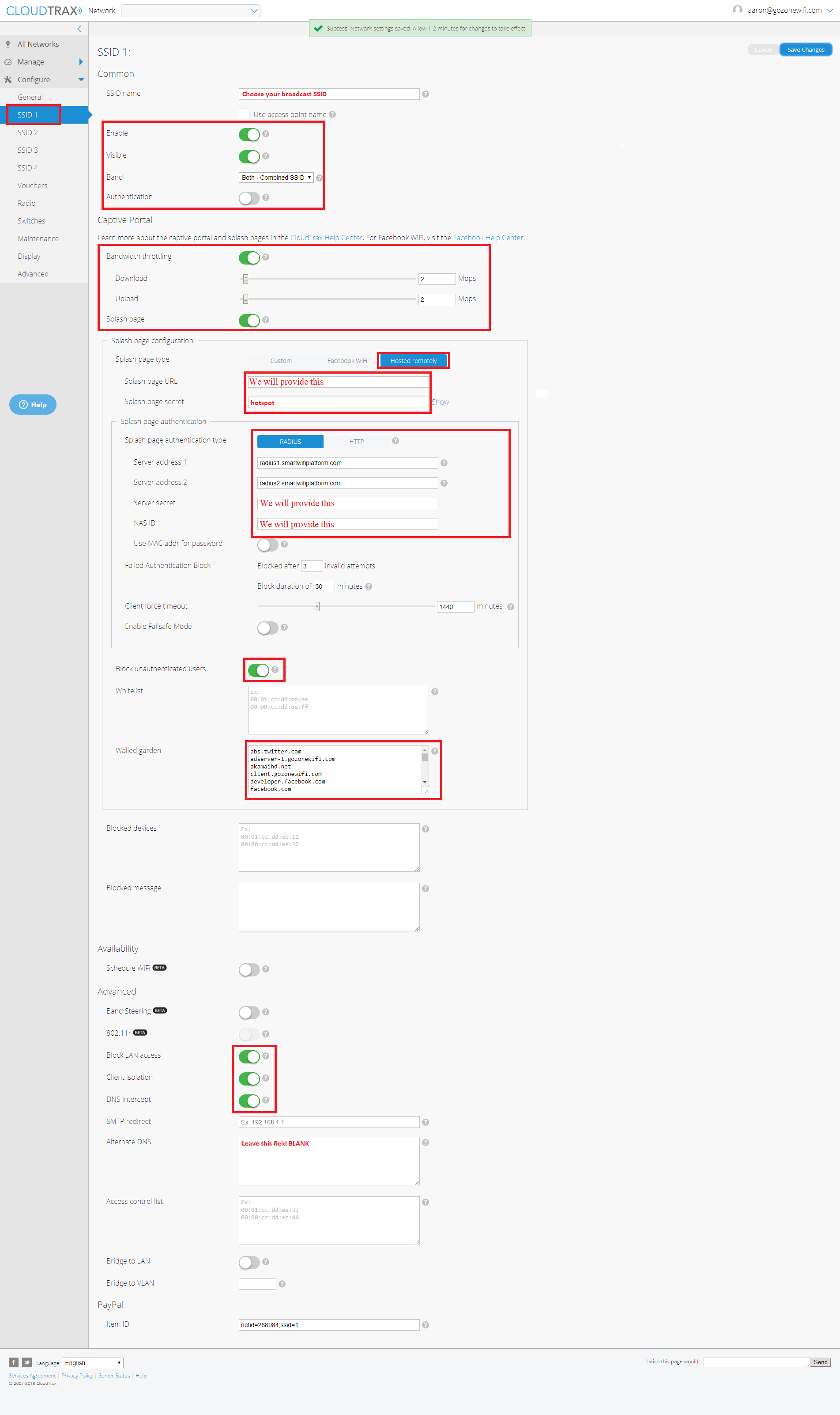
Follow the format below to configure Open Mesh using firmware 5.xx or 6.xx
- Configure SSID 1 of your network using the following settings:
Splash Page URL - You will receive this from us RADIUS SERVER ADDRESS 1 - radius1.smartwifiplatform.com RADIUS SERVER ADDRESS 2 - radius2.smartwifiplatform.com Server Secret - You will receive from us NAS ID - You will receive from us Walled Garden - Available HERE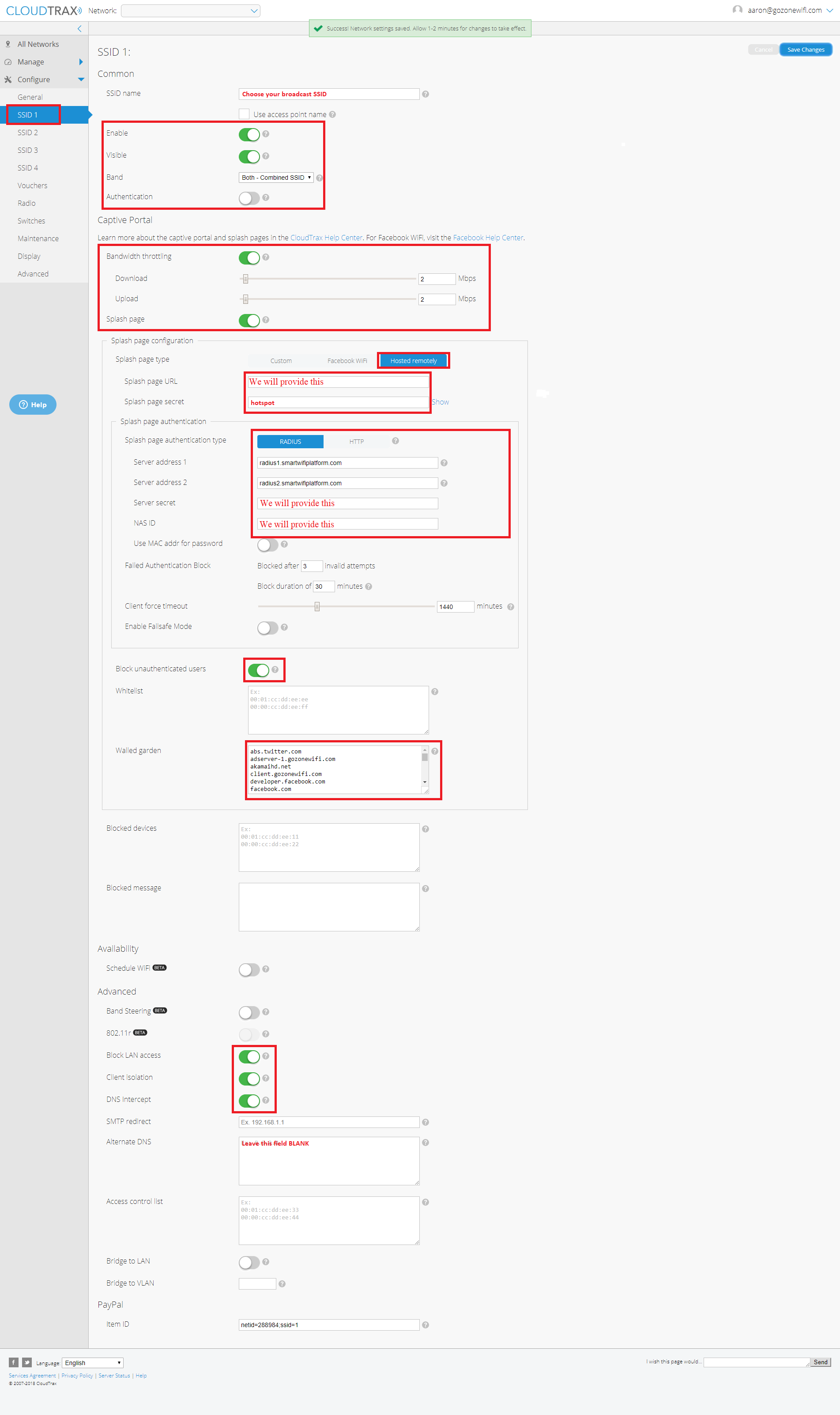
- Click 'Save Changes'
 [ht_message mstyle="alert" title="" show_icon="" id="" class="" style="" ]Disclaimer on hardware configuration guides in the KB: This equipment has been integrated and tested in our labs with the Marketing4WiFi platform using the firmware versions below. CloudTrax Firmware 6.4.15 LIMITED HARDWARE SUPPORT: Hardware manufacturers frequently make changes to firmware, controllers and GUI’s. The information below may be out of date or images may be different and is to be used as a general reference guide. We do offer additional limited support to help with trouble-shooting and we highly recommend that you have a hardware support agreement and/or access to a hardware support engineering representative from the manufacturer. [/ht_message]