
This will help drive additional revenues to you through the Smart E-mail and SMS campaigns! Here's how it works. You can create as many coupon campaigns as you like!
Step One: Create a new Coupon Campaign
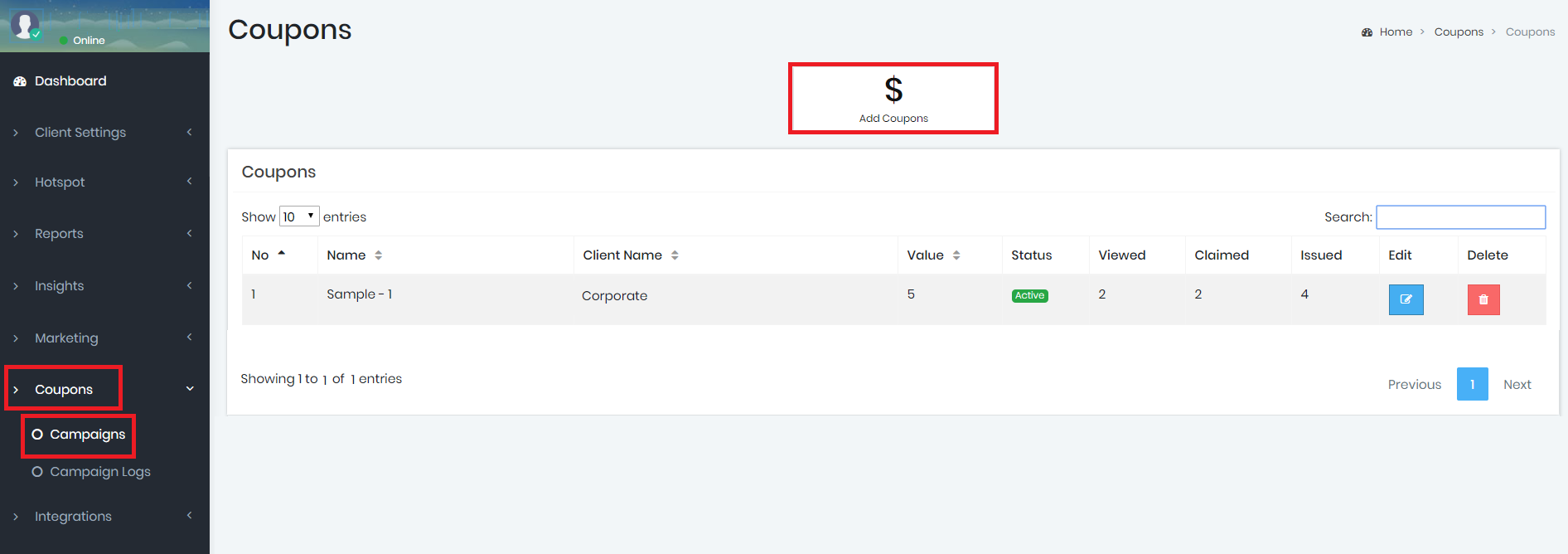
Click the 'Add Coupons' button and you'll be directed to create a new campaign. You can also edit or delete existing campaigns if there are any listed below. Note that by deleting a campaign, any guest that still has the coupon attached to a past e-mail will receive an error message if they attempt to redeem that coupon. It's better to edit the campaign and expire it if you don't want to keep that coupon campaign active.
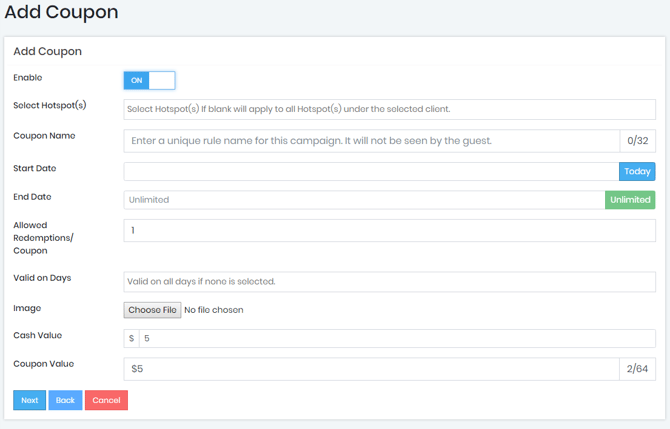
Enable: This is the toggle to turn on or off the coupon campaign.
Select Hotspots(s): Your able to select what locations you'd like to attach the coupon to, one or several.
Coupon Name: Enter a name for your coupon here so it's easy for you to reference. It can be named anything you'd like.
Start Date: Enter the date that you'd like to start the coupon.
End Date: Enter the date that you'd like to end the coupon. Leaving this blank will assume the campaign will never end unless you change it in the future or disable the campaign.
Keep in mind if you set an end date to a coupon you'll need to disable the Smart Email the coupon is attached to or guests will receive an Smart Email with an expired coupon.
Allowed Redemptions per Coupon: Each time a smart e-mail is sent that has the coupon attached, it is individually tracked by our system and a unique link is created and assigned to the guest that received it. If the guest were to forward the email to 100 of their friends for example, you might run the risk of coupon fraud. By setting this value to 1, then the unique coupon would only be able to be redeemed 1 time. i.e.: if this is set to 1, then when a guest received this coupon, they were to e-mail it 100 of their friends, and 1 of their friends came in and redeemed the coupon, any of the other friends that received it would not be able to redeem the coupon. They would simply see that the coupon was already redeemed. If you don't mind that the coupon is redeemed many times, simply set the number of redemptions to a greater number or leave the field blank so an unlimited amount of redemptions could occur.
Valid Days: The system allows you to only allow coupon redemptions on certain days. Perhaps you want to offer a discount to drive more business on a slower day. Choose the valid days that the coupon can be redeemed here. If it's blank, the coupon will be able to redeemed any day.
Image: Upload a 300px x 250px image of your choosing to better describe or brand your coupon. We recommend keeping the image size to less than 1MB in size and in a .jpg format.
Cash Value: In this field, you can choose a cash value or approximate cash value of the coupon. This number will be used for reporting purposes only and will help you determine the ROI that this campaign is bringing to your business. The cash value will not show to the guest. If you'd like to change from US dollars to a different currency, you can edit the currency symbol in you Client Settings area or contact us and we'll change it for you.
Coupon Value: This value WILL be shown to the guest when they redeem the coupon. It could be any value you'd like including a dollar amount or a percentage. It's totally up to you! You'll notice that as you change the values, the coupon preview will show you what the coupon "finished product" will look like!
Click 'Next'
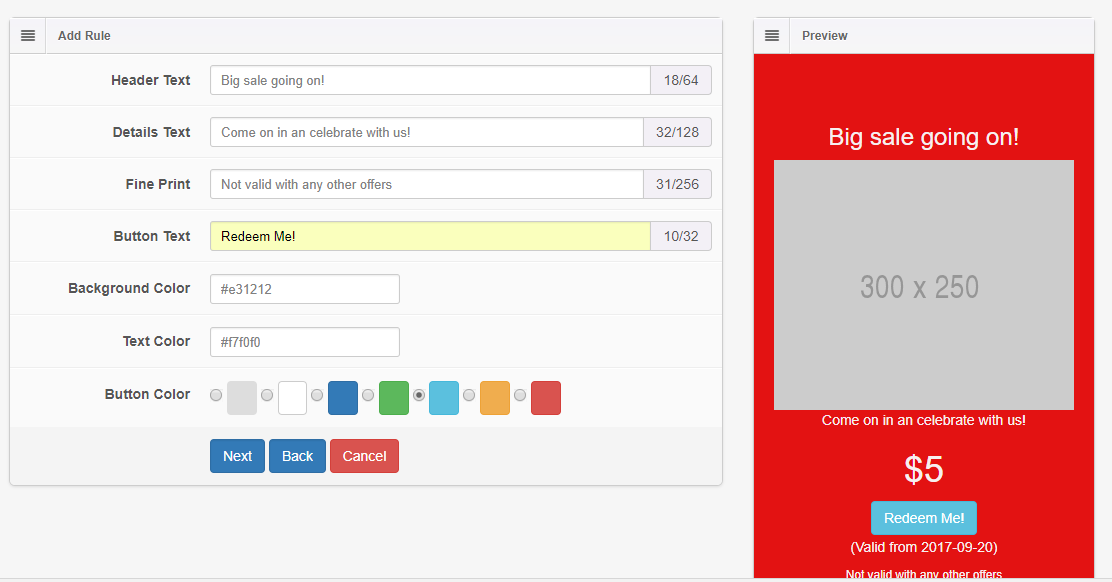
Header Text: Type the header text that you'd like your guests to see about the coupon.
Details Text: Type any additional information about your coupon here.
Fine Print: Type any fine print that will be displayed to your guest in the lower-portion of the coupon.
Background Color: Use the color selector to choose a background color that fits your theme.
Text Color: Use the color selector to choose a text color that fits your theme.
Button Color: Use the color selector to choose a button color that fits your theme.
Click 'Next'
The next area will set the default messages or instructions to your guests to redeem the coupon. This way they only redeem the coupon in the presence of one of your staff members to validate the coupon. We put in some default values but please feel free to change them if you'd like a different process to validate.
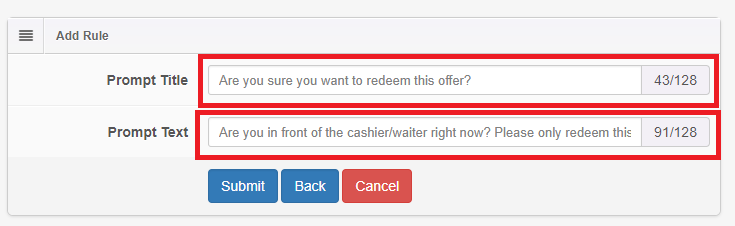
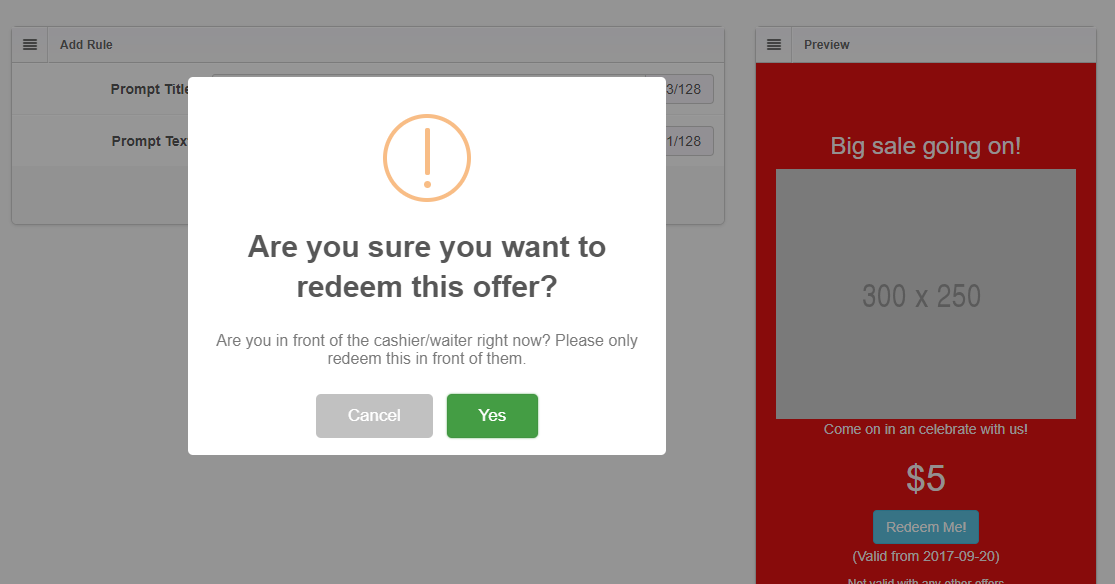
Once your campaign is done, click 'Submit' and you'll be brought back to the coupon campaign list.
Step Two:
Add coupon to campaign template Now that you have your Coupon created, it's time to embed it into one of your campaigns to send it out!
Email:
NOTE: You can only embed ONE coupon per e-mail campaign.
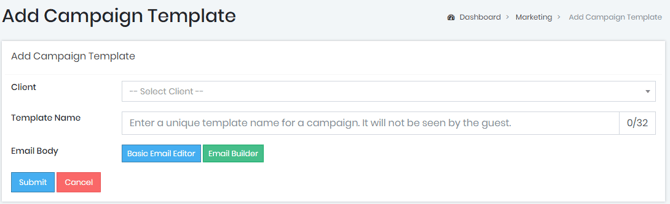
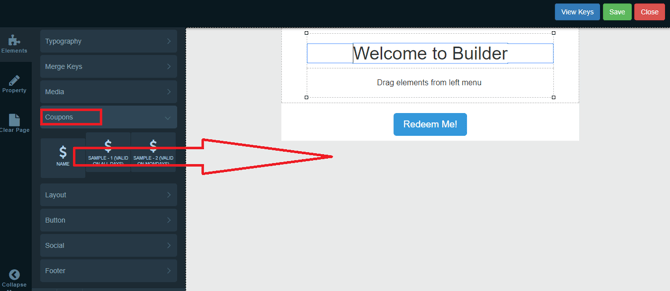
The coupons you created will now be listed in the E-Mail builder: Simply drag the coupon over to the body area of your Smart e-mail.
Be sure to SAVE and Submit your Smart e-mail campaign.
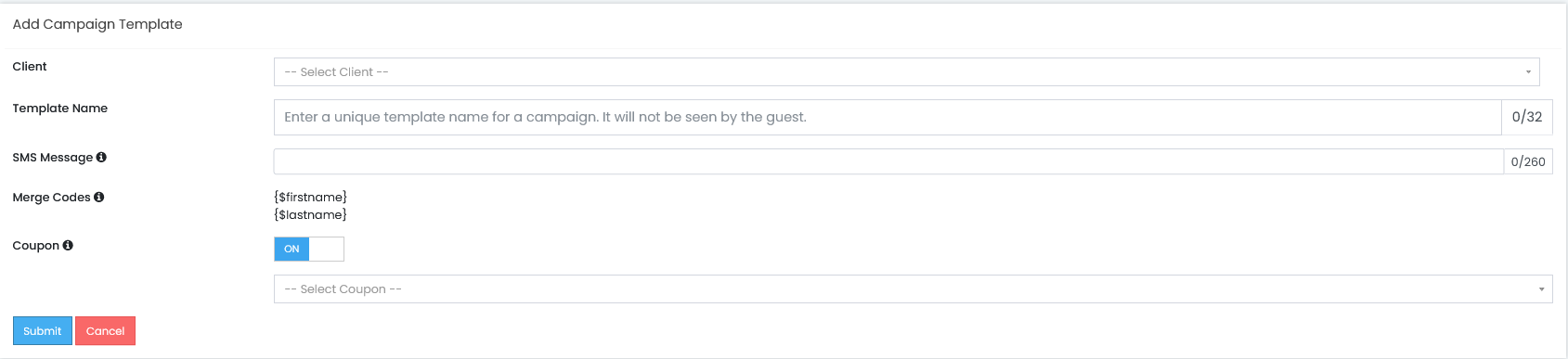
SMS:
NOTE: You can only embed ONE coupon per SMS campaign.
The coupons you have created will now be available after enabling the Coupon under an SMS Campaign Template.
Step Three: Creating a Campaign
Next, you'll need to create a Campaign. Once done, you can send yourself a test smart e-mail campaign and your coupon should be embedded and will contain the unique link that will be used by your guest to view and redeem the coupon!
How to send the coupon:
Smart Rule To see the reports and statistics related to your coupons, click the appropriate link below: Coupon Campaign Insights Coupon Campaign Logs
Quick Start Videos:
How to Create a Coupon
How to Add a Coupon to an Email Template
Video Tutorial:
Coupon Builder Workshop