Campaign Insights: Click on the Insights menu tab, next click on the Campaign Insights tab.
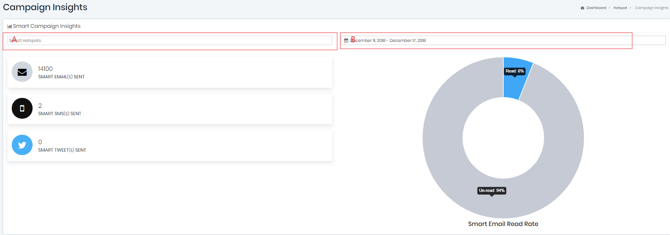
It will give you a general view of how your overall campaigns are performing. Box A. will allow you to get granular to campaign & Box B. will allow you to change the time period.
Marketing Campaign Logs: Click on the Marketing menu tab, next click on the Campaigns Logs tab.
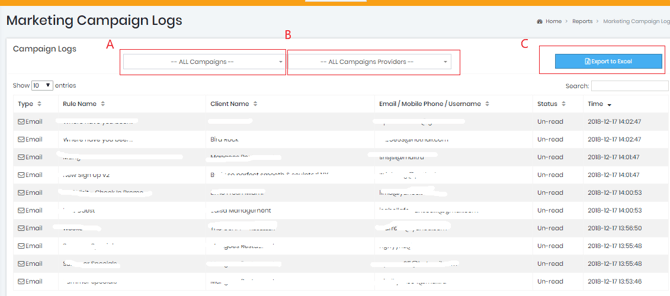
You're able to pull this as a report to excel. Box A. will allow you to select the specific camping box B. select the type of campaign you're looking for box C. Export your report.