
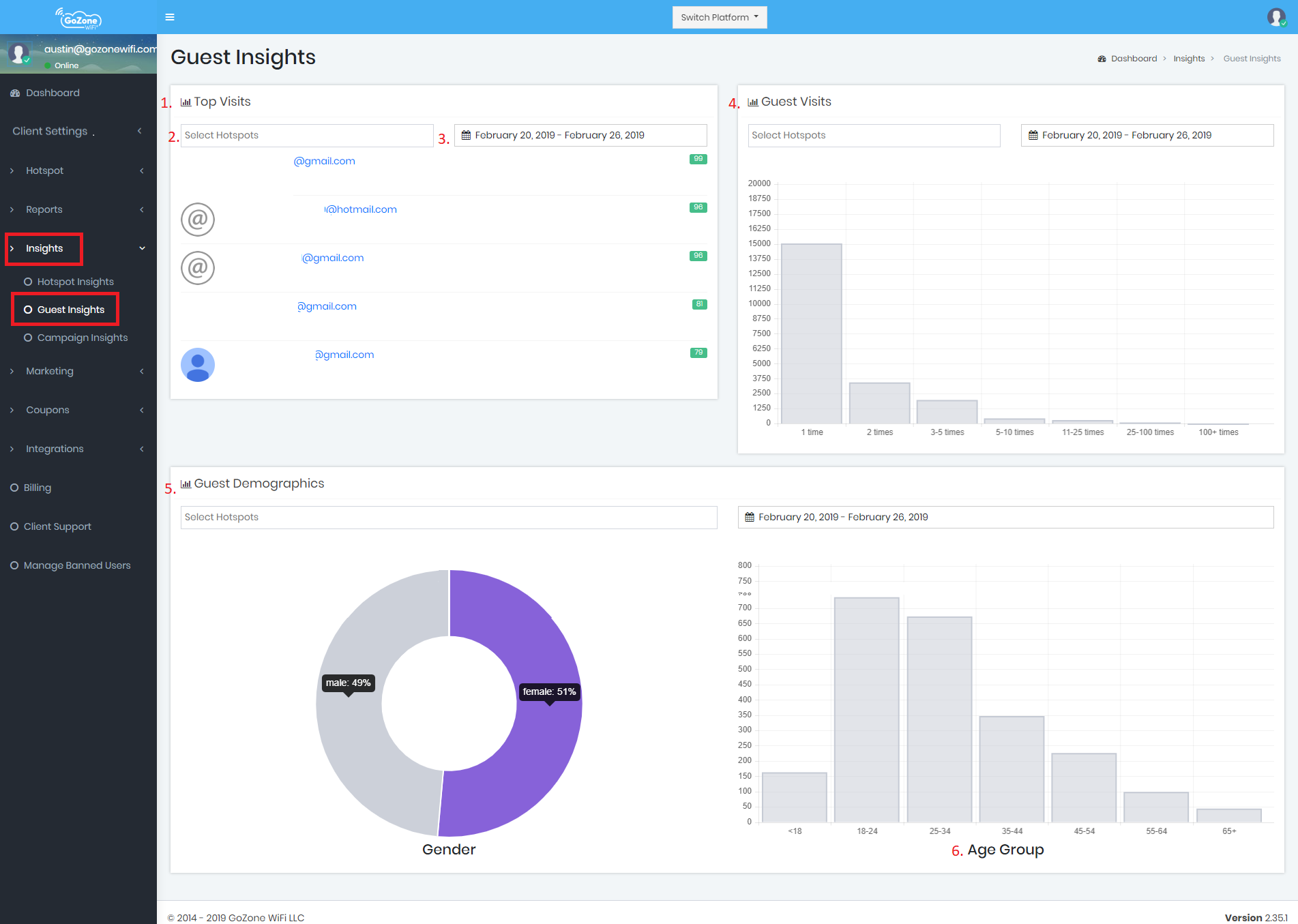
- Top Guests - This will show you who uses your Hotspot(s) the most. Choose the Hotspot or Hotspots and choose the time-frame. You can click the name of the guest to see their profile information and their connection detail.
- Hotspot(s) Selection - Choose the Hotspot or Hotspots that you'd like to display. By default, the information displayed will be for all of the hotspots that you have permission to view.
- Time-Frame Selection - Choose the time-frame that you'd like to display. By default, the information displayed will be for the past 7 days.
- Guest Visits - This graph shows you the number of times your guests connect to your Hotspot(s). This is a great indicator to see if the number of repeat customers is going up after a promotion.
- Guest Demographics - Gender - This pie chart shows you the gender of your guests at the selected Hotspot(s) during the selected time-frame. Use this tool to compare different locations or perhaps to create new promotions like a ladies night.
- Guest Demographics - Age - This line chart shows you the age groups of your guests at the selected Hotspot(s) during the selected time-frame. Use this tool to compare different locations or perhaps to create new promotions targeting the age of your guests.
Workshop - Insights, Exports, & Integrations