
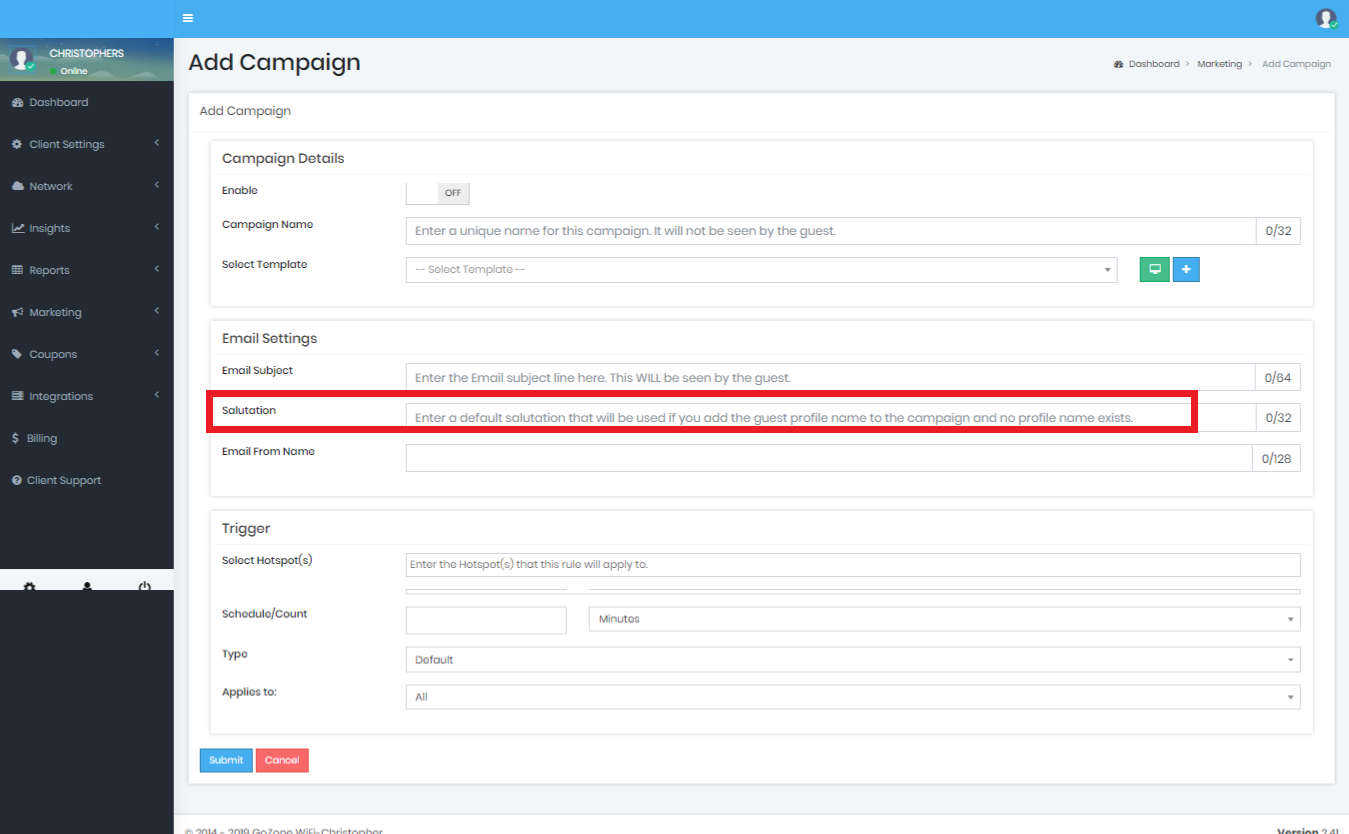
If a Guest logs in where we don't capture their name then it's best to setup a default salutation.
Add a default salutation in the box provided. If the the Smart WiFi Dashboard receives their name through social media or some other method then their name will appear instead of the default salutation:
In the E-mail Body editor, add the merge key fields as needed:
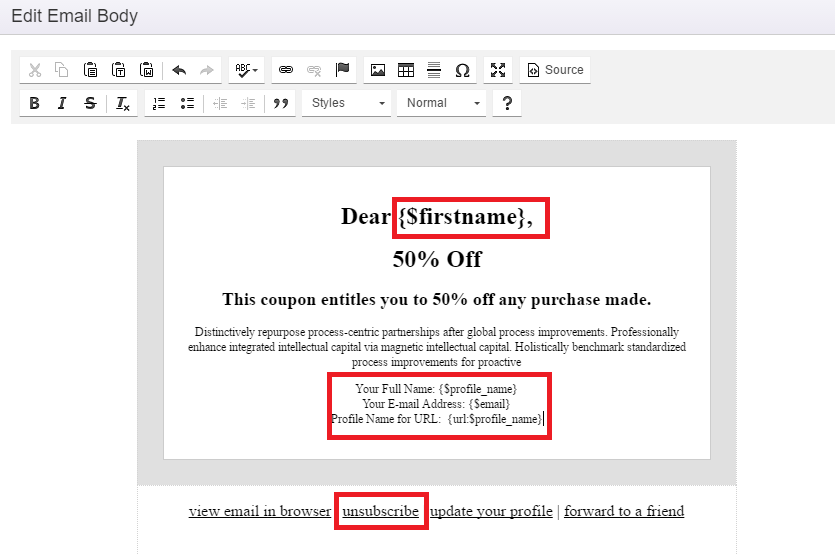
Available Merge Keys are:
-
{$unsubscribeUrl} - Use this to include an unsubscribe link in your Smart E-mail. If you do not enter one here then one will automatically be appended to your e-mail as required by most Anti-Spam laws and ISP policies.
Note: The unsubscribe link will not appear on test e-mails. -
{$email} Use this to include the Guests e-mail address into the e-mail. Perhaps for tracking purposes.
-
{$profile_name} Use this Key to merge a Guest name into your Smart E-mail. If the system does not have the guests name then the Salutation that you entered will be used.
-
{$firstname} Use this when you just want to merge the Guests First name. If the system does not have the guests name then the Salutation that you entered will be used.
-
{url:$profile_name} Use this merge key if you need to include the Guest profile names into a URL link. This will substitute a space with a character to keep the complete URL in tact.