
This is useful if you have guests that enter obviously fake e-mail addresses on a regular basis. To add a rule, simply click the  "Add Rule" button.
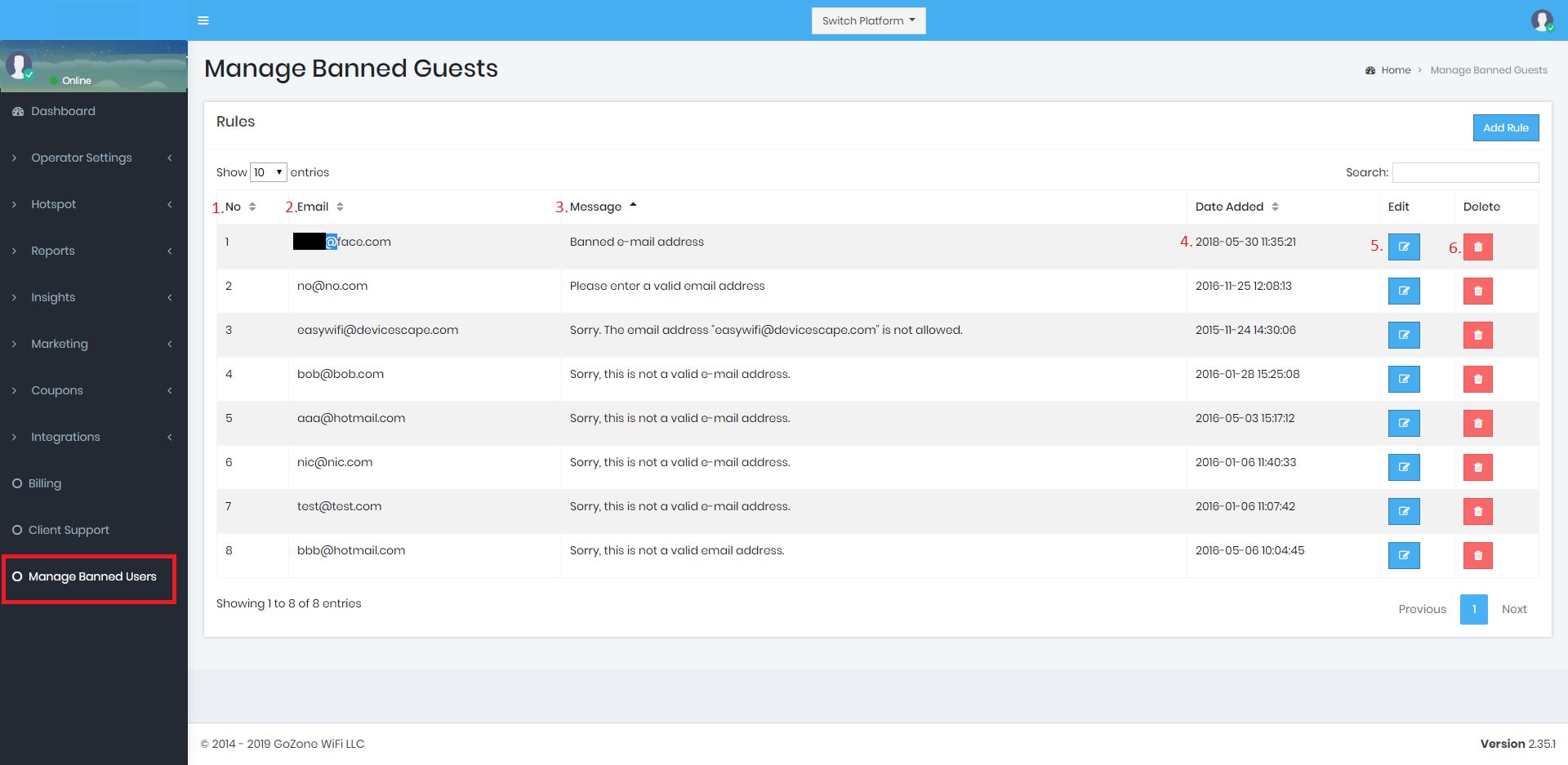
- No. - This is the rule number assigned by the Smart WiFi Platform.
- Email - This is the e-mail address that is banned from being able to connect to your Hotpot(s).
- Message - This is the message you would like to send to a guest that attempts to connect to your Hotspot with the corresponding e-mail address.
- Date Added - The date that the rule was added.
- Edit - Click the edit icon to make changes to the banned user rule.
- Delete - Click the delete icon to delete the banned user rule.