
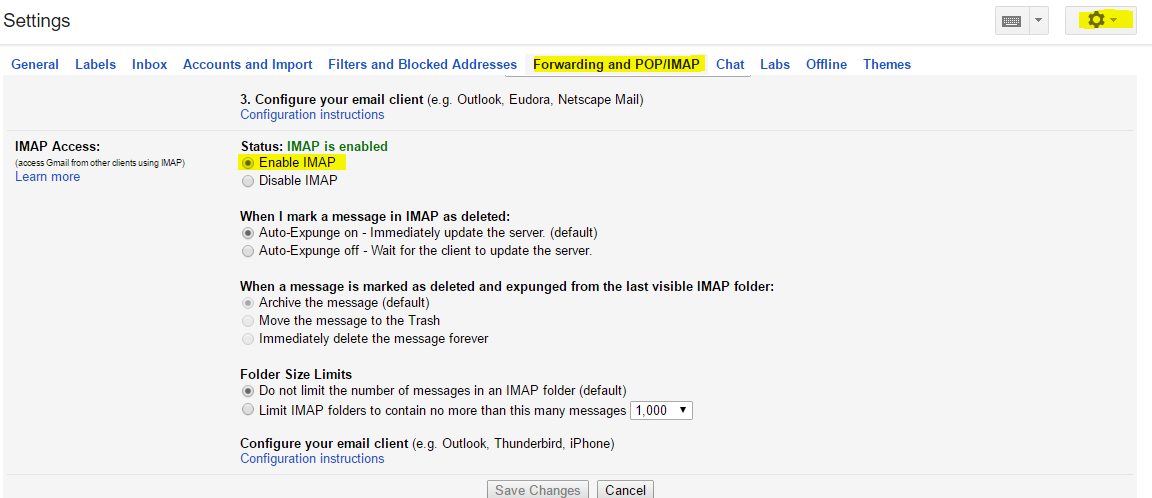
Please see this article regarding enabling IMAP on your Gmail settings.
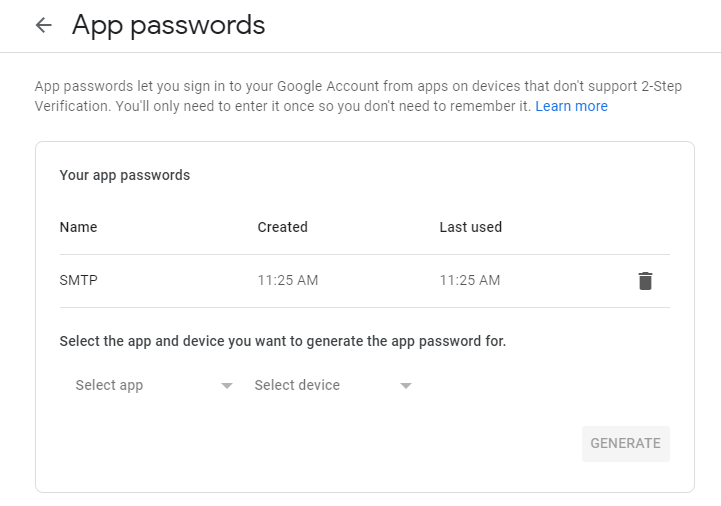
Please see this article regarding generating an App Password in your gmail settings. When generating your App password under the select app field select other and name the App Password whatever you like.
You may have to go to https://accounts.google.com/DisplayUnlockCaptcha and sign in with the Gmail username and password, wait 10-15 minutes, then send a test email before the password will work.
Settings to use for Gmail on the SMTP Server page Host: smtp.gmail.com
Username: Your username
Password: The App password generated from your Gmail account
Port: 58
Encryption: TLS
If you have done this and the e-mail still isn't working, you may have been banned from Google due to their strict policies. You should setup a new e-mail box using a different server or through your hosting company.