The following instructions outline how to setup a Ruckus Unleashed network for the Marketing4WiFi Platform. This guide covers details such as configuring RADIUS, walled garden entries, and captive portals. This guide assumes that your Unleashed equipment is already operational and on a live network with adopted Access Points. Please make sure any firewall rules, web content filters, and other security measures have been configured to interface with the platform.
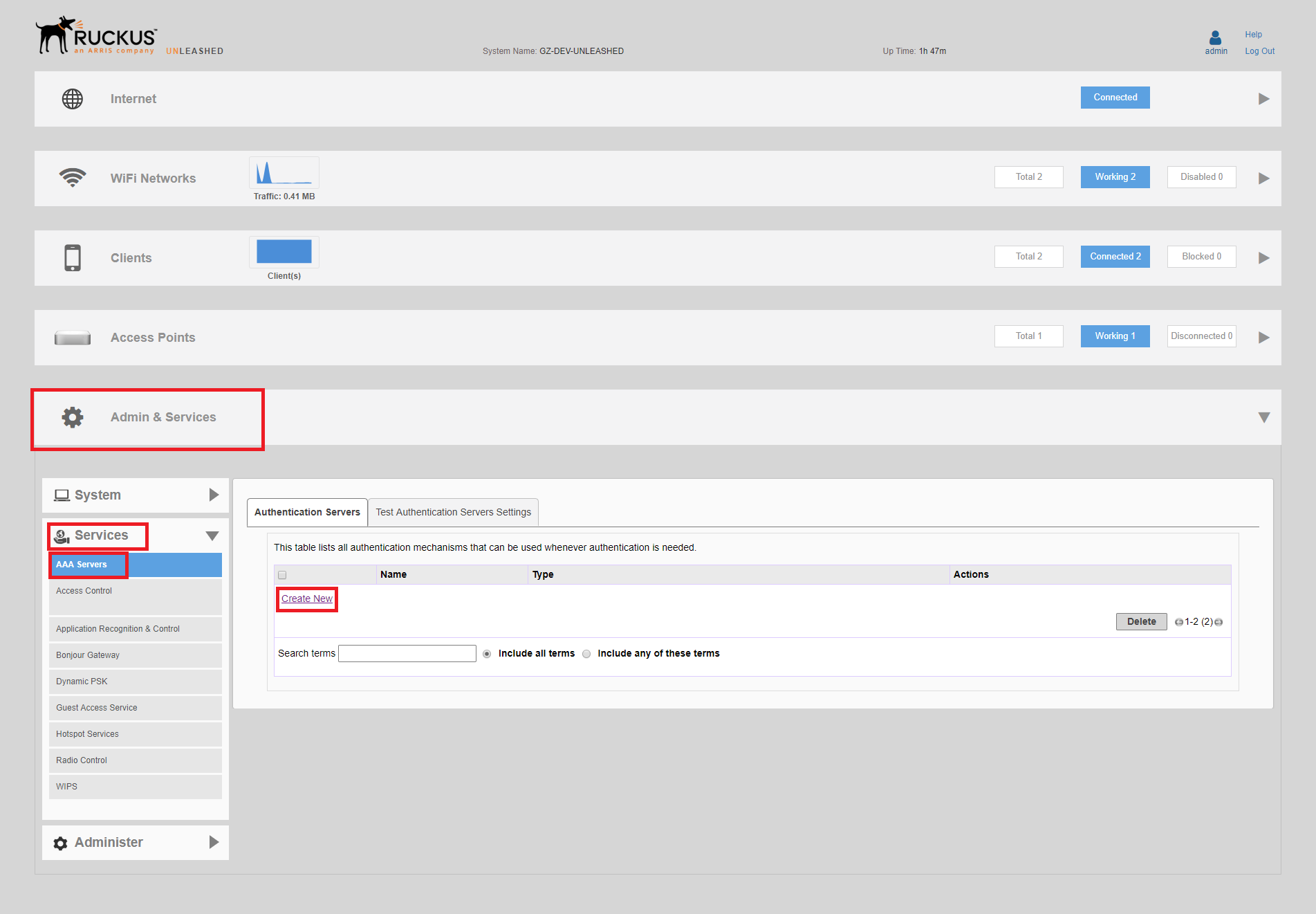
- Select the Admin & Services tab. Open the Services menu and click AAA Servers.
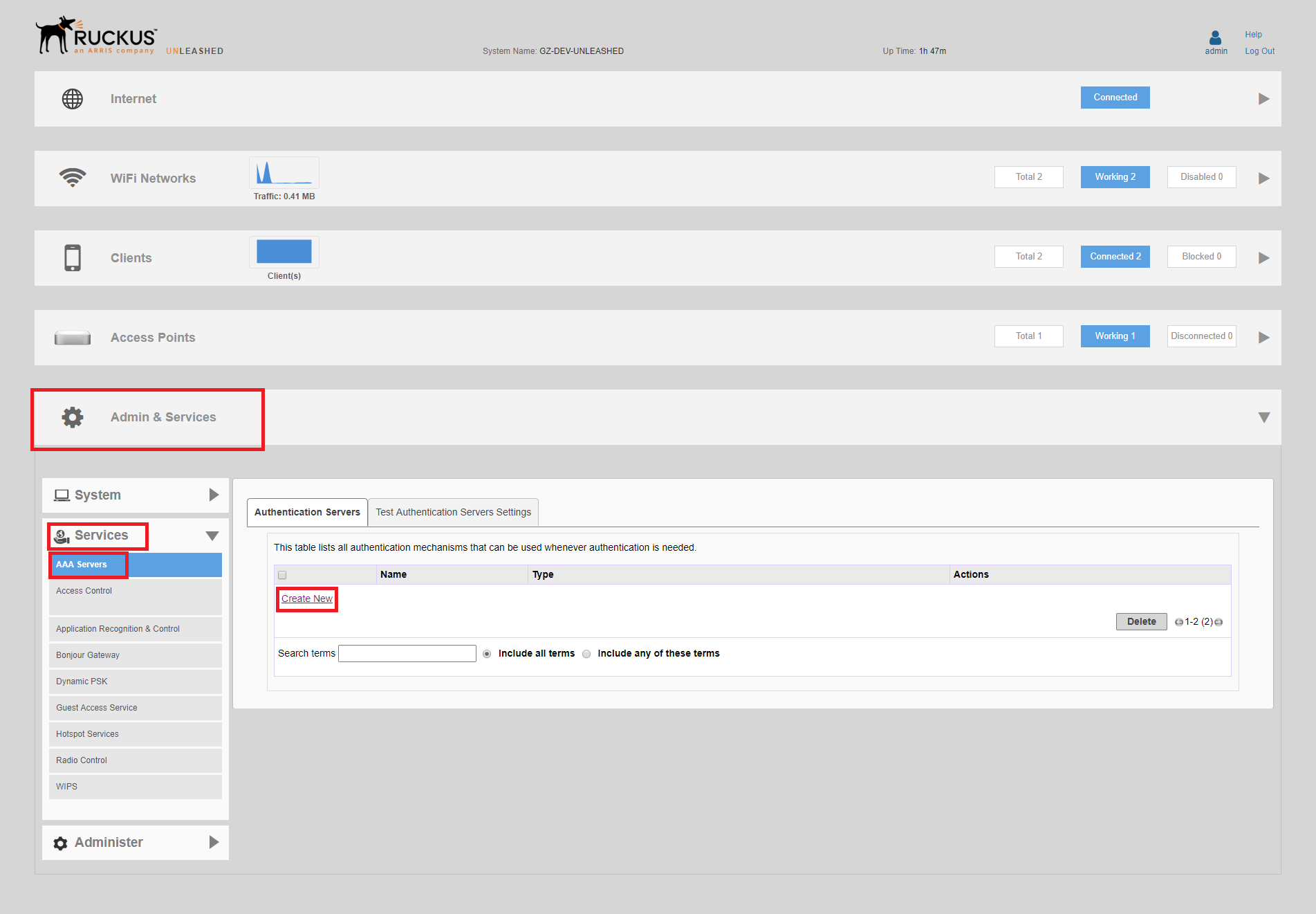
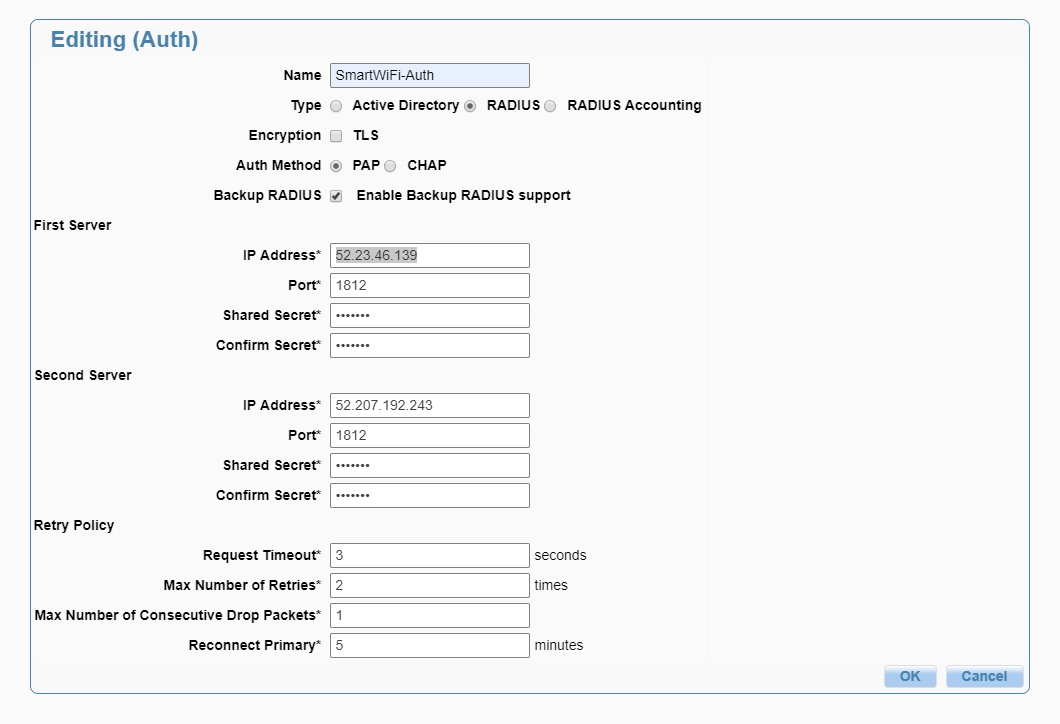
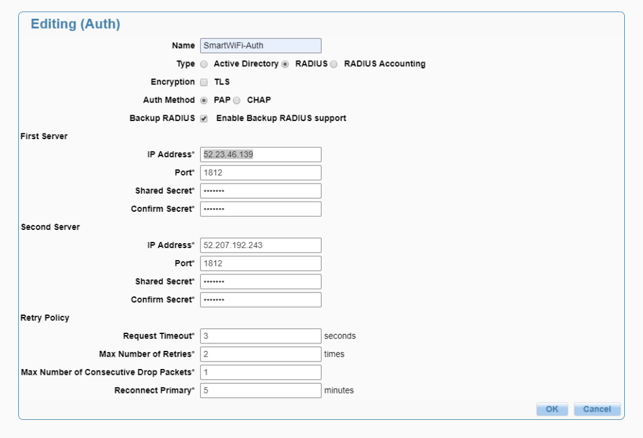
- You will need to create two AAA servers. Name: AUTH Type: RADIUS Auth Method: PAP Backup Radius: Enabled First Server: IP Address: 52.23.46.139 Port: 1812 Shared Secret: You will be provided this. Confirm Secret: You will be provided this. Second Server: IP Address: 52.207.192.243 Port: 1812 Shared Secret: You will be provided this. Confirm Secret: You will be provided this.
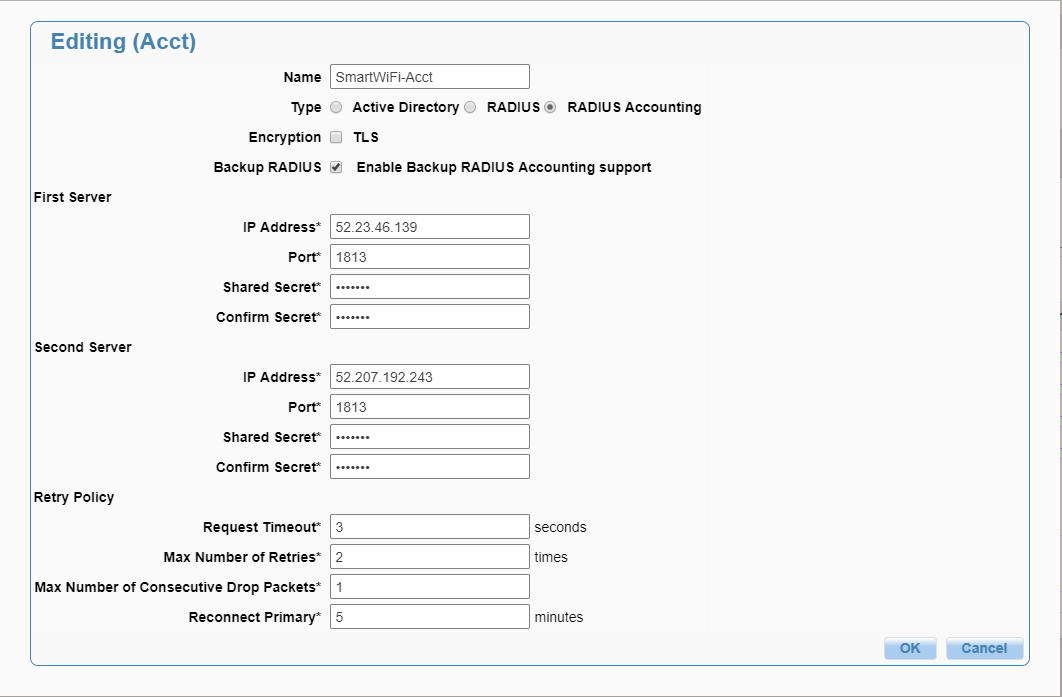
 Name: ACCT Type: RADIUS Accounting Backup Radius: Enabled First Server: IP Address: 52.23.46.139 Port: 1813 Shared Secret: You will be provided this. Confirm Secret: You will be provided this. Second Server: IP Address: 52.207.192.243 Port: 1813 Shared Secret: You will be provided this. Confirm Secret: You will be provided this.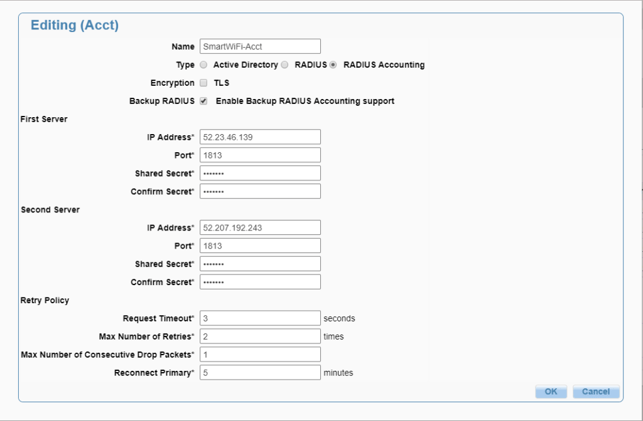
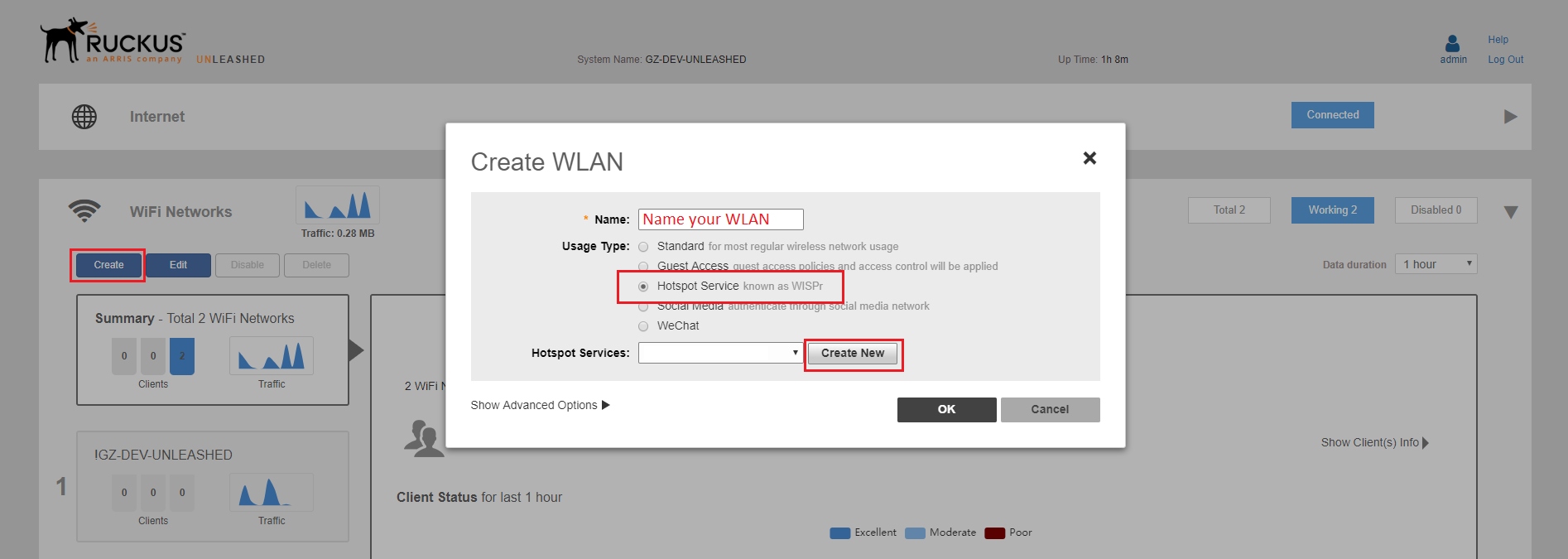
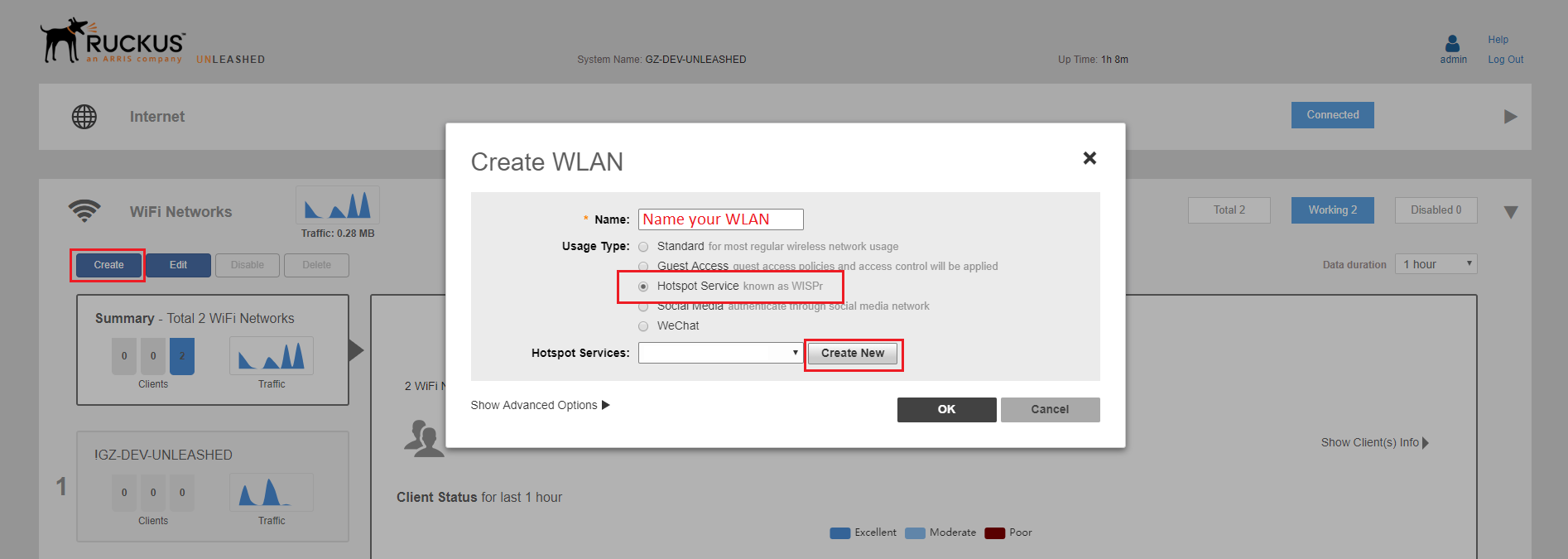
- Name: This will be the SSID presented to your guests Usage Type: Hotspot Service Hotspot Services: Click Create New
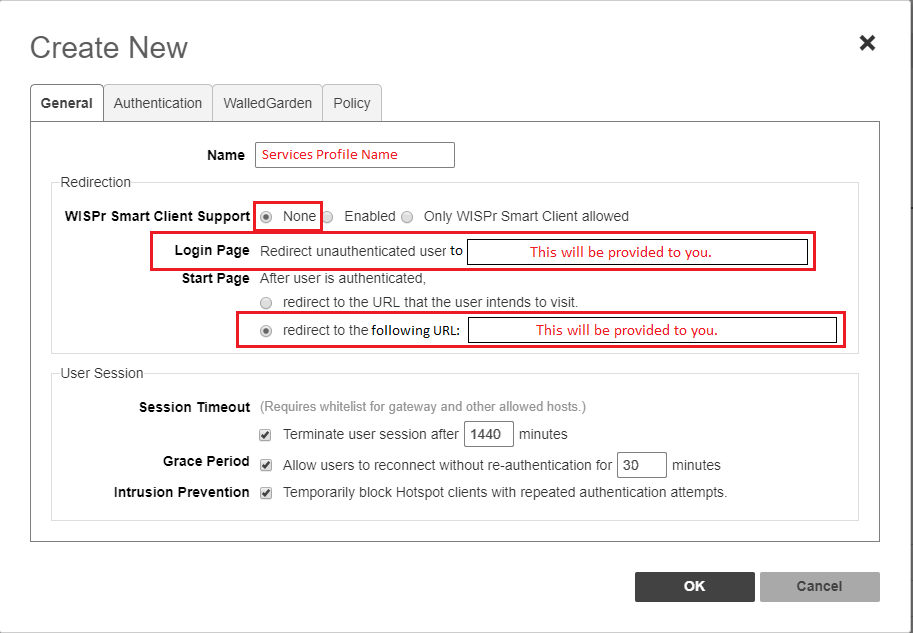
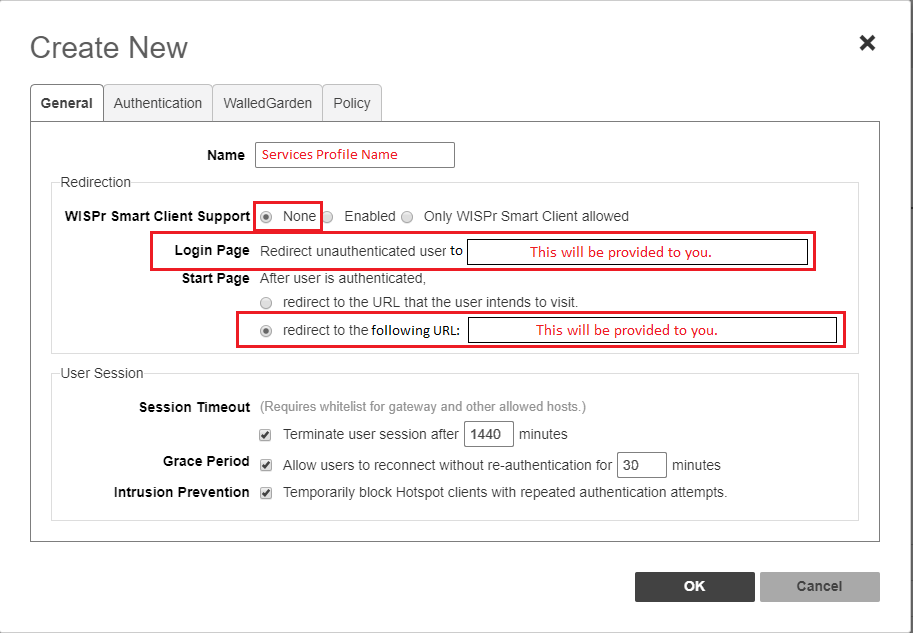
- Configure the Captive Portal. WiSPr Support: None Name: This is the name for the hotspot services profile Login Page: This will be provided to you. Redirect URL: This will be provided to you. Session Timeout: Checked Grace Period: Checked [ht_message mstyle="alert" title="" show_icon="" id="" class="" style="" ]If devices are being served the splash page frequently before the Session profile timeouts occur, increase the Grace Period time and test again.[/ht_message]
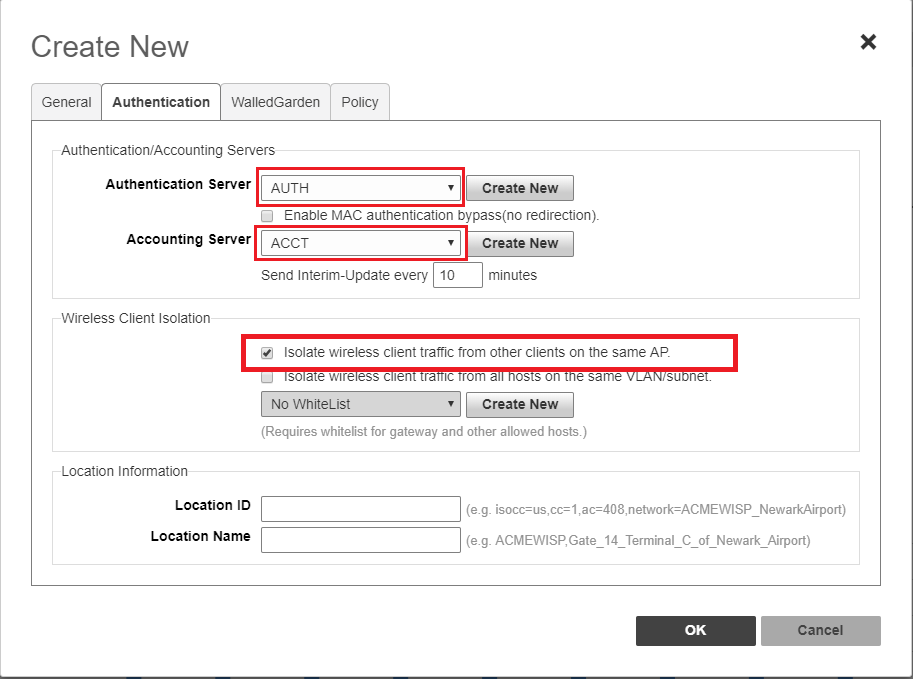
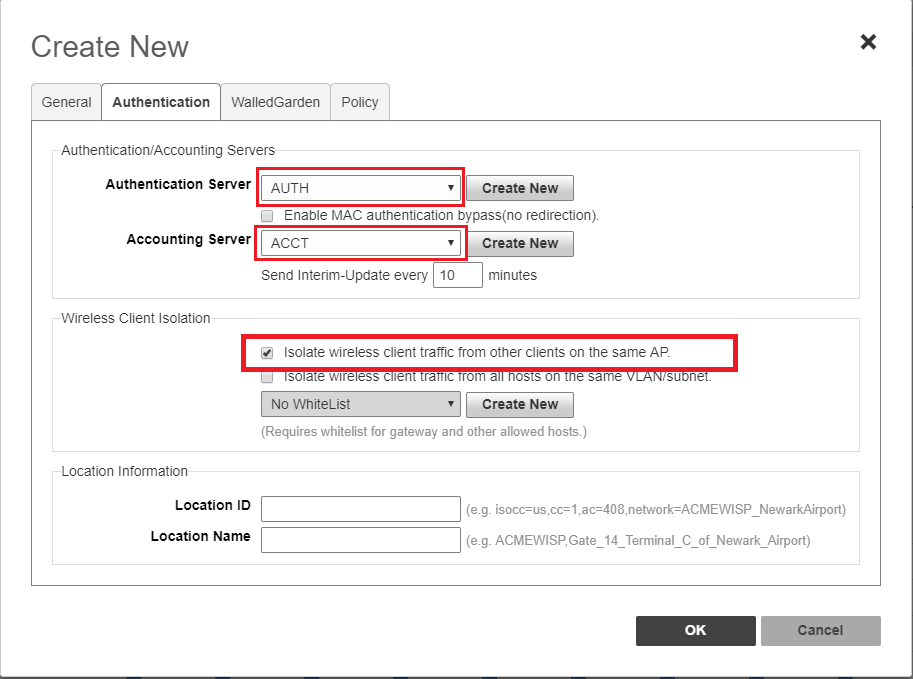
- Configure Authentication Authentication Server: AUTH Accounting Server: ACCT Isolate Wireless client traffic from other clients on the AP: Enabled
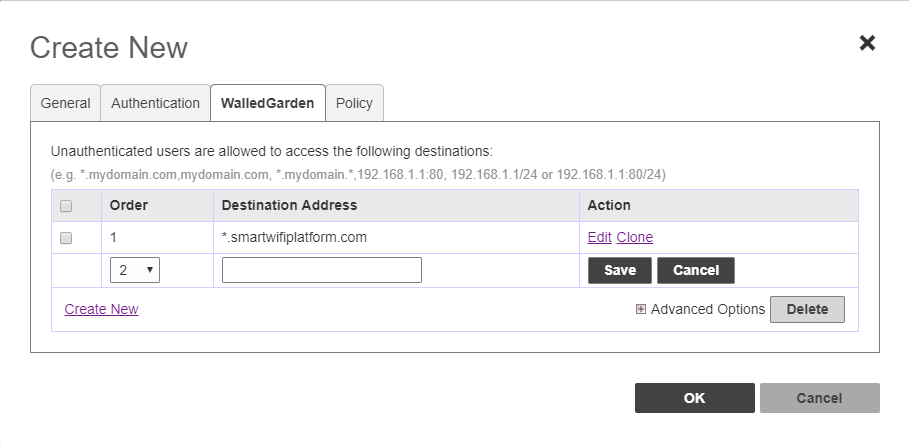
- Configure Walled Garden Walled garden entries must be entered and saved one at a time. Wildcard entries are allowed. The complete list of entries can be found HERE.
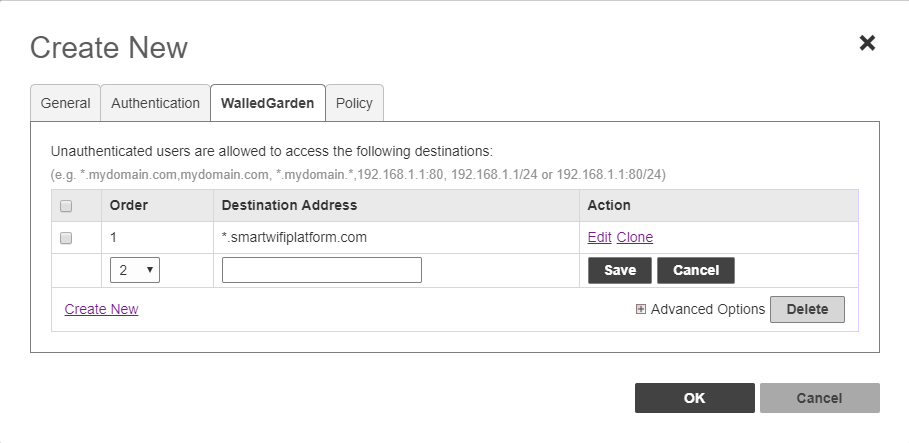
- Save the Hotspot Services configuration by hitting “OK” to the Create New pop up.
- Final Step To complete the set up you will need to SSH in to the Unleashed Access point and type the commands below, one line at a time.
enable config wlan “The name of your WLAN” called-station-id-type ap-mac end