
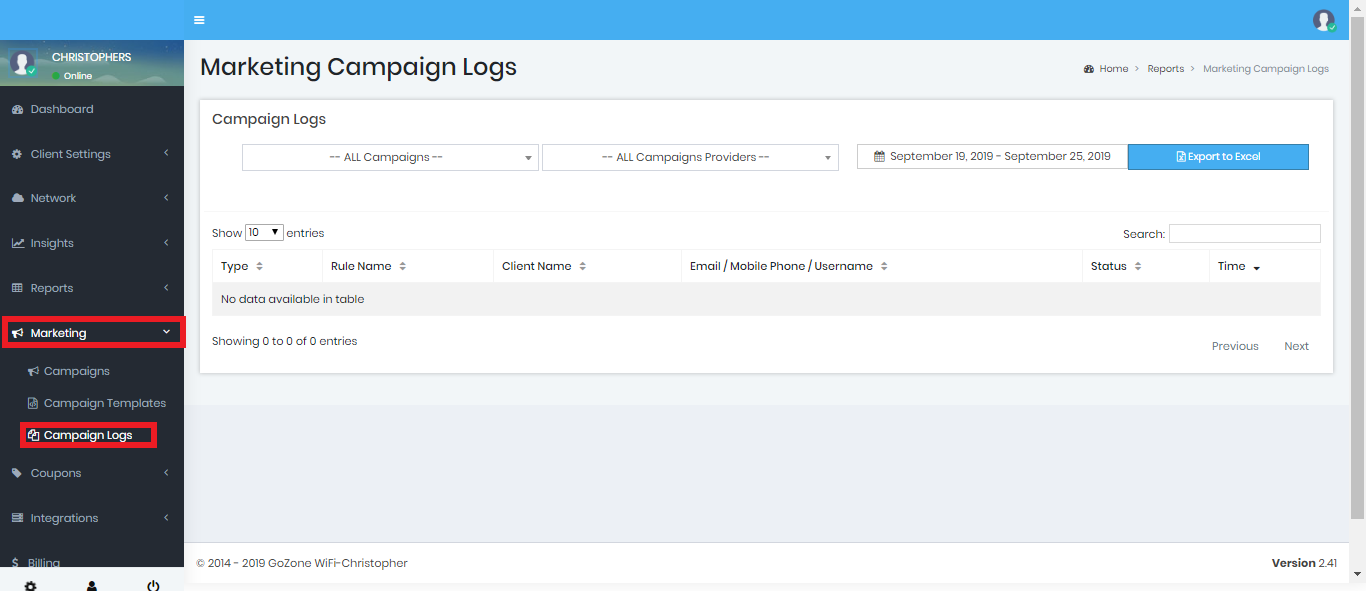
In the drop down options you may choose: Smart Email, Smart SMS, Smart Tweet, and the date range you would like to view the logs from.
Type. - Is the type of Smart Campaign sent
Rule Name - Is the name of the Smart Campaign rule that was being used to process the e-mail to your guest.
Client Name - Is your company name.
Contact Information - Is the guest e-mail address, Mobile phone number, or Social Media username that the Smart e-mail was sent to.
Status - Tells you if the Smart e-mail was read by the recipient.
Time - Displays the exact time that the Smart e-mail was sent to your guest.
You can easily use the search bar to find an e-mail that was sent to a specific e-mail address.