
The Splash Page Scheduler allows you to create a dynamic schedule of recurring weekly splash pages, as well as one-time events, enabling users of the platform to ensure their guests receive the right content at the right time Log in to your Smart WiFi dashboard and go to the edit Hotspot page for your desired Hotspot to set up your own Scheduled Splash Pages.
Splash Page Weekly Schedule
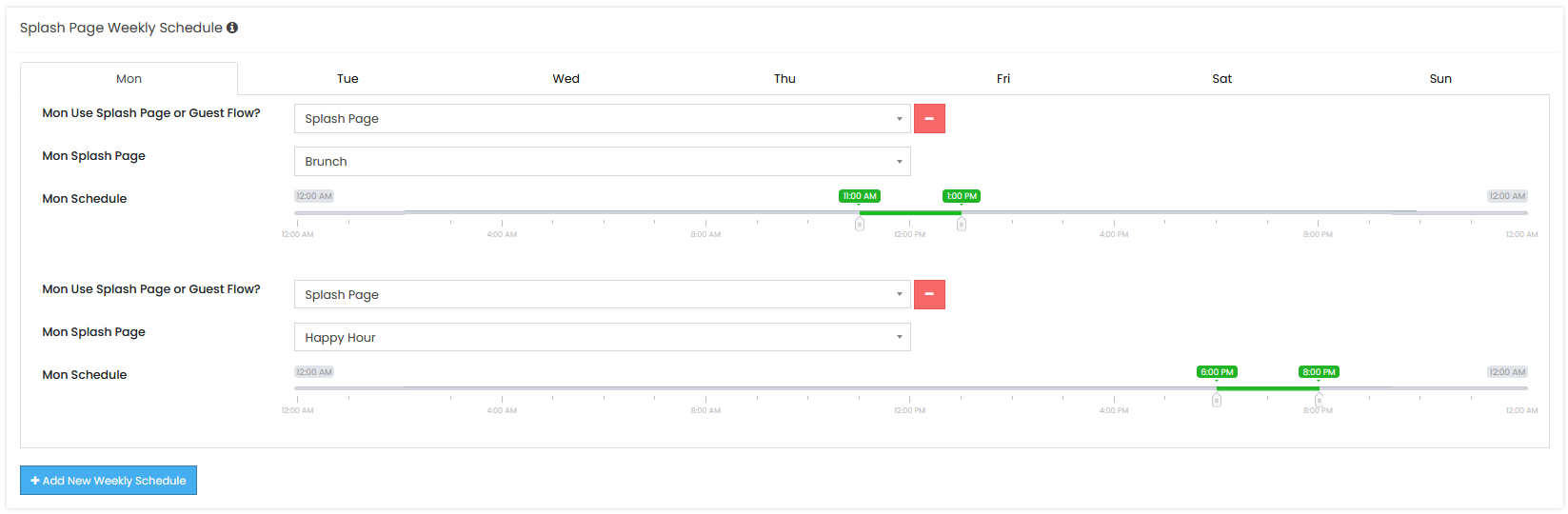
The Splash Page Weekly Schedule allows users to define the time and day of the week when their desired Splash Page (or Guest Flow) should be displayed. The Weekly Schedule events will be displayed instead of the Hotspot’s assigned Splash Page.
Using the ‘+Add New Weekly Schedule’ button, you can create multiple events per day, but the time frames cannot overlap. Once you have created events for every day of the week you want, simply submit the page, and your Splash Page Weekly Schedule is live!
Splash Page One-Time Schedule
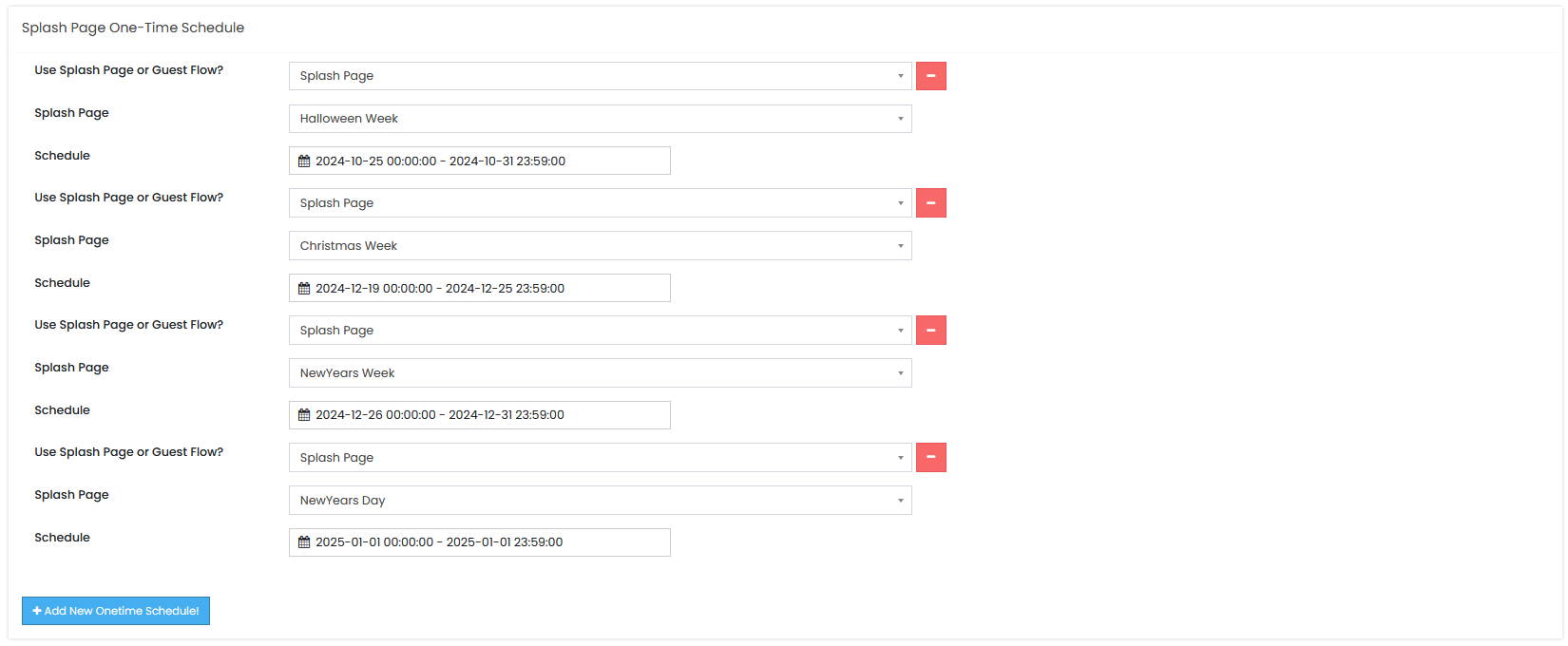
The Splash Page One-Time Schedule allows users to define a date and time when they want a desired Splash Page (or Guest Flow) to be displayed. The One-Time Schedule events will be displayed instead of both the Hotspot’s assigned Splash Page and any Splash Page Weekly Schedule events.
Using the ‘+Add New One-Time Schedule’ button, you can create multiple events per day, but the time frames cannot overlap. Once you have created your desired events, simply submit the page, and your Splash Page One-Time Schedule is live!
How to use the Splash Page Scheduler